
You’re exploring view-only access. Upgrade to download, save, and use offline.
01
Create account
02
View Manuals
03
Upgrade Anytime
04
Full Control
emanuals
View Online
Preview Available
Full View Available
Main image
Click to view image in fullscreen

![]()
📄 PDF
36.58 MB
🔒
Secure transaction
Epson Stylus Pro GS6000, Service Manual & Parts List
File Type:
PDF
36.58 MB
You have view access to this Manual.
Upgrade to download, save, and use offline anytime.
You have no view access to this Manual.
Reactivate membership to use online
MOST POPULAR
$16.42/mo
Billed annually as $197
Save 50% vs monthly
MONTHLY
$33/mo
Cancel Anytime
Download format
PDF
Quick Actions
Add to My Library
Share Manual
Browse Related Manuals
Report an Issue
01
02
03
Create free
account
account
Get full view access to PDF manuals
and 5 × 10 mins software session.
and 5 × 10 mins software session.
Upgrade or
cancel anytime
cancel anytime
5M+
Manuals
Access the largest digital library of repair manuals — all in one place.
80+
less time spent
troubleshooting
troubleshooting
Skip the guesswork with detailed, step-by-step instructions.
50+
Categories covered
From vehicles to tech, tools, appliances & more — all included.
What's Inside
Description
Reviews
Q&A
OEM-Level Service Instructions
Step-by-step procedures written for your exact model.
Diagnostic & Troubleshooting Flowchart
Pinpoint faults fast without guesswork.
Wiring Schematics & Technical Diagram
Full electrical and mechanical layouts.
Technical Specs, Torque Values & Part Numbers
Every measurement you need for the job.
Disassembly, Maintenance & Repair Procedure
Complete teardown and rebuild guides.
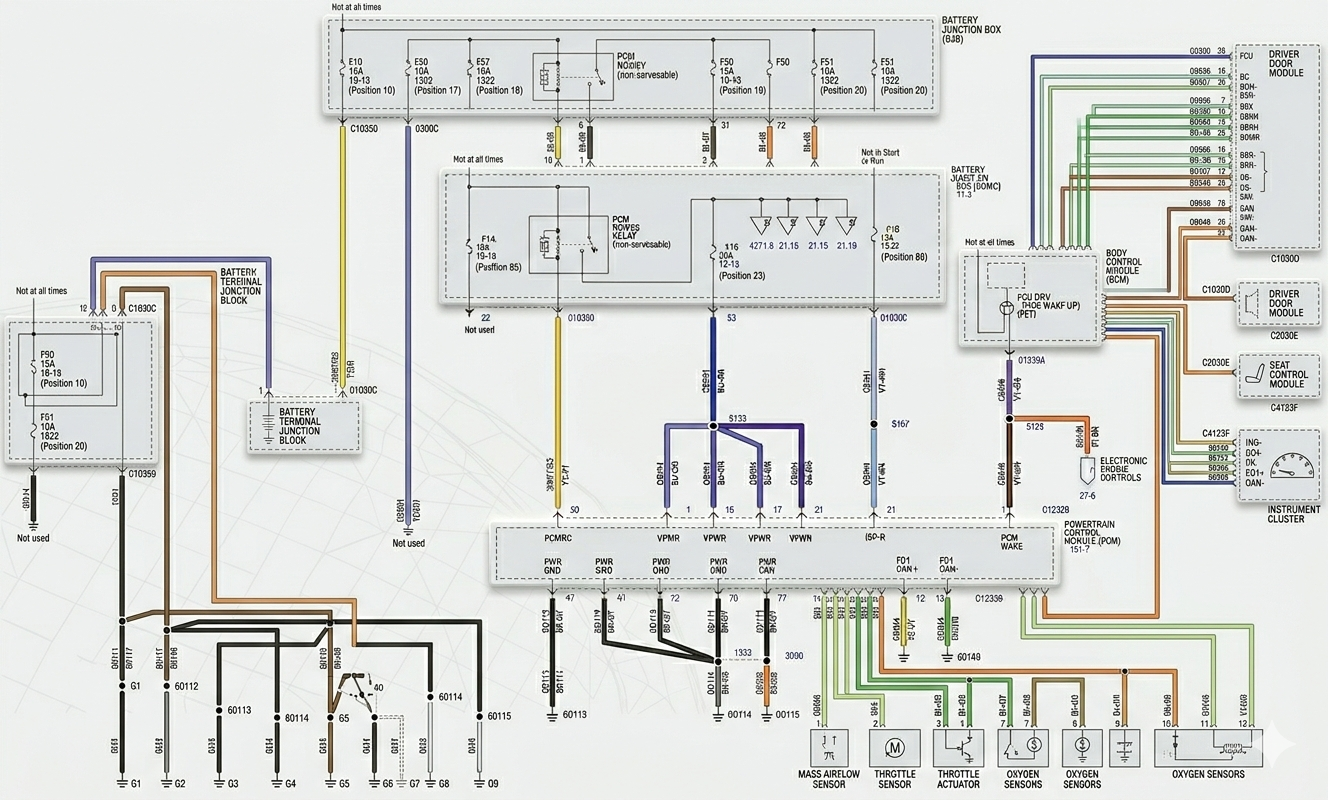
This service manual is the complete guide for repairing the Epson Stylus Pro GS6000 copier. It contains detailed diagrams, pictures, and procedures for diagnosing and fixing issues with the copier. Whether you are a professional mechanic or a DIY enthusiast, this manual is a valuable resource.
You can easily print, zoom, or read any diagram, picture, or page from this Service Manual. Each chapter is fully detailed and includes simulation codes, trouble codes, maintenance procedures, reset procedures, and diagnostic procedures for the Epson Stylus Pro GS6000 photocopier.
The manual includes the following chapters:
- Chapter 1: Product Description
- 1.1 Features
- 1.2 Basic Specifications
- 1.2.1 Printer Specifications
- 1.2.2 Durability
- 1.2.3 Paper size/Printable area
- 1.2.4 Print Mode / Print Resolution
- 1.3 Dimensions and Main Components
- 1.3.1 Dimensions and Weight
- 1.3.2 Part Names
- 1.4 Control Panel
- 1.4.1 Buttons and Indicators
- 1.4.2 Panel Settings
- 1.4.3 Maintenance Mode
- 1.4.4 Serviceman Mode
- Chapter 2: Operating Principles
- 2.1 Glossary
- 2.2 Ink System
- 2.3 Carriage Mechanism
- 2.4 Paper Feed Mechanism
- 2.5 Heater Mechanism
- 2.6 Boards
- 2.7 Sensors
- 2.8 Fans
- Chapter 3: Trouble Shooting
- 3.1 Overview
- 3.1.1 Preliminary Check
- 3.1.2 Troubleshooting Procedure
- 3.2 Remedies for Error Messages
- 3.3 Remedies for Maintenance Requests
- 3.4 Remedies for Service Call Error
- 3.5 Remedies for Print Quality Troubles
- 3.1 Overview
- Chapter 4: Disassembly & Assembly
- 4.1 Overview
- 4.1.1 Precautions
- 4.1.2 Orientation Definition
- 4.1.3 Recommended Tools
- 4.2 Parts Diagram
- 4.3 Disassembly Flowchart
- 4.4 Disassembly and Assembly Procedure
- 4.4.1 Basic Operations
- 4.4.2 Consumables/Accessories
- 4.4.3 Housing
- 4.4.4 Electric Components
- 4.4.5 Fans
- 4.4.6 Boards
- 4.4.7 Sensors
- 4.4.8 Heaters/Thermistors
- 4.4.9 Carriage Mechanism
- 4.4.10 Paper Feed Mechanism
- 4.4.11 Ink System Mechanism
- 4.4.12 Take-Up Reel Unit
- 4.1 Overview
- Chapter 5: Adjustment
- 5.1 Overview
- 5.1.1 Precautions
- 5.1.2 Adjustment Items and the Order by Repaired Part
- 5.1.3 Description of Adjustments
- 5.1.4 Tools for Adjustments
- 5.1.5 Service Program Basic Operations
- 5.1.6 Cautions and Preparation for Pattern Printing
- 5.2 NV-RAM Backup Utility
- 5.3 CR Related Adjustments
- 5.3.1 CR Belt Tension Adjustment
- 5.3.2 CR Reduction Belt Tension Adjustment
- 5.3.3 CR Height Adjustment
- 5.3.4 Media Side Margin Adjustment
- 5.1 Overview
- Chapter 6: Maintenance
- 6.1 Overview
- 6.2 Setting up and Transportation
- 6.2.1 Setting up
- 6.2.2 Transportation
- 6.3 Maintenance
- 6.4 Cleaning
- 6.4.1 Cleaning Wiper
- 6.4.2 Around the Print head
- 6.4.3 Cleaning the Pressure Rollers and Platen
- 6.4.4 Cleaning and Lubricating the CR rail
- 6.5 Lubrication
- Chapter 7: Appendix
- 7.1 Block Wiring Diagram
- 7.2 Panel Menu Map
- 7.3 Parts List
- 7.4 Exploded Diagram
Number of pages: 298
Recently Viewed Manuals
Pick up from you left off
95% of our members rate emanuals
Compare Us To The Rest
We believe in offering you the best value, most extensive manual collection,
and top-notch customer support - all at a price that's hard to beat!
Features
- Price
- Manuals
- Offline Access
- 24/7 Support
- Device Limit
- Categories
Emanuals
- From $33/month
- 5M+
- Unlimited
- Cars & 29+ categories
Haynes
- $499/year
- 825
- 1
- Cars only
AllData
- $2,388/year
- 44,000
- 1
- Cars only
Core Features Emanuals
Price
From $33/month
Manuals
5M+
Offline Access
24/7 Support
Device Limit
Unlimited
Categories
Cars & 29+ categories
Core Features Haynes
Price
$499/year
Manuals
825
Offline Access
24/7 Support
Device Limit
1
Categories
Cars only
Core Features AllData
Price
$2,388/year
Manuals
44,000
Offline Access
24/7 Support
Device Limit
1
Categories
Cars only